
iboomboom
-
Posts
3647 -
Joined
-
Last visited
-
Days Won
10 -
Donations
50.00 USD -
Points
3,543,560 [ Donate ]
Content Type
Profiles
Forums
Gallery
Twitch
Running Commentary
Events
Store
Downloads
Everything posted by iboomboom
-
 This is intentional because bots will not always find you. So yes at the moment it's more like TDM with a delayed respawn.
 -
So the learning bots were hackishly good so I put on the previous generation. These improve their skill as the rounds go but forget everything on a new map start. They don't save their learnings and they are much easier to fight ( @wildthing) level skill.
-
Quick update: We created AI bots to stress the server in every which way. It has worked very well and the server was able to handle just about any kind of load we threw at it for days on end. Right now I have put on brand new "smart" bots. These learn from human players, and as the rounds go they become "smarter", more aggressive. They use killstreaks, drive RCXDs, use the predator, AGM, AC130. They save these learnings to memory and every time they play the same map they get better. The bots do disconnect when a real person joins. The mod on this server has been optimized to handle 34 concurrent players. Once we have a better understanding of what our community likes we will either reduce the number of place holder bots or completely remove them. That one is up to you guys. Right now we have set this up as a redirect server for overflow from the regular COD4 server. We do get random new players on the server every day. Click here XI MW2 Ftag CoD4x to see the server on Game Tracker. Feel free to jump on, pawn the bots, test your killstreaks and share your experience here on this thread.
-
For double translation, x86 to ARM to host that's very respectable FPS with all the settings. Comparatively speaking my M5 MAX gave me around 250+ FPS but ocasionally not sustained. If you are getting sustained rates then perhaps Parallels is doing a better job.
-
Yaccster, are you playing on a Mac Studio?
-
Linux has a native version, macs are well just difficult.
-
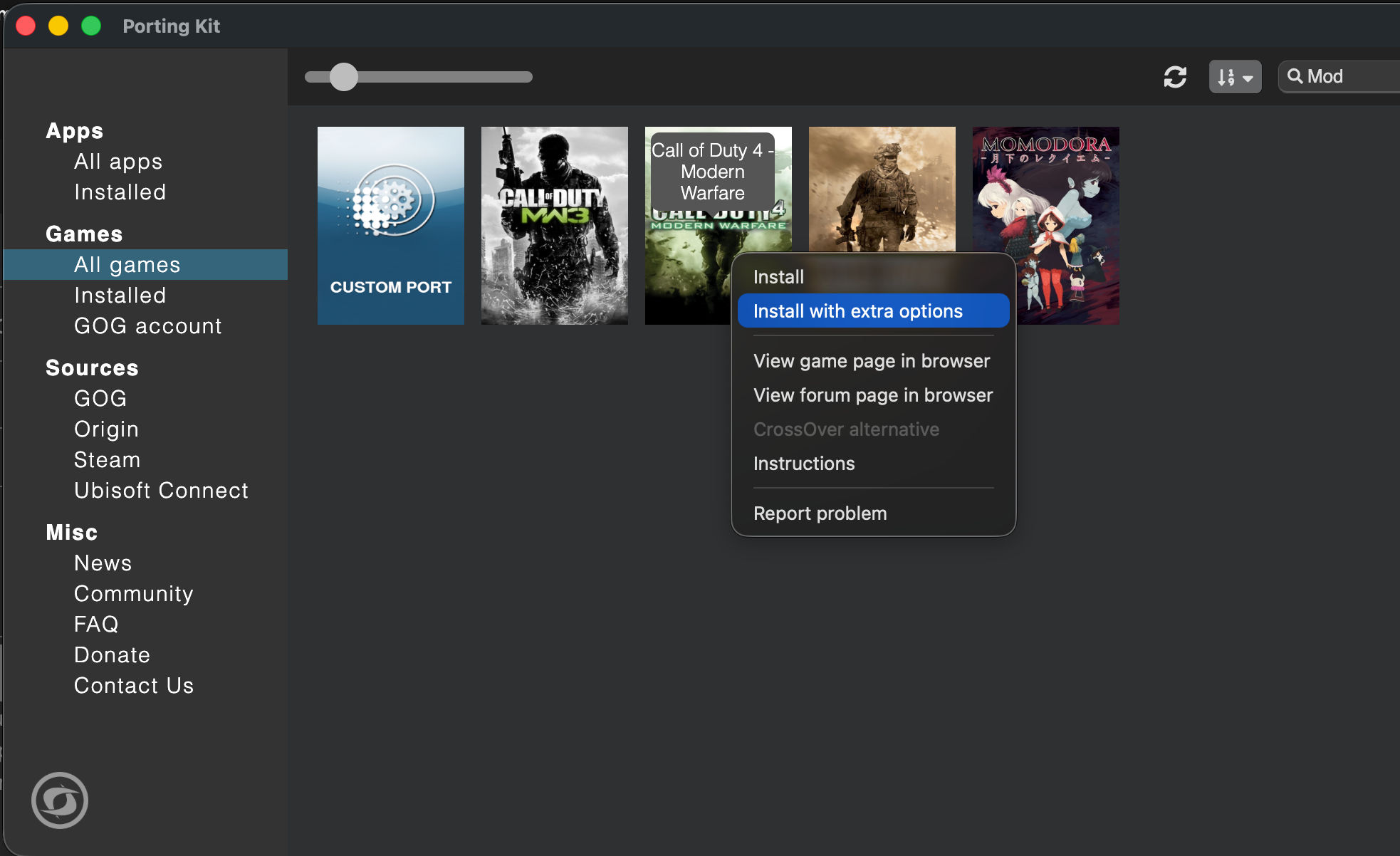
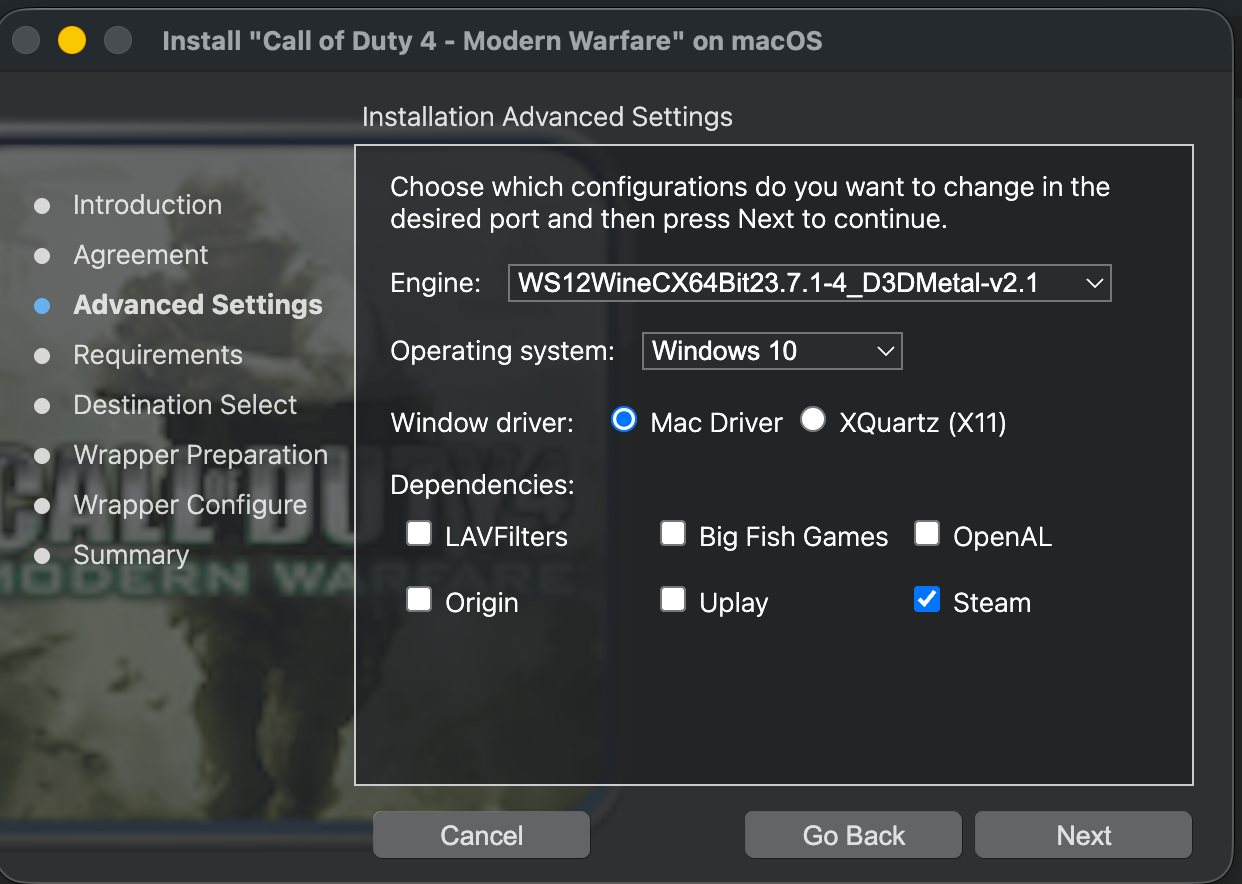
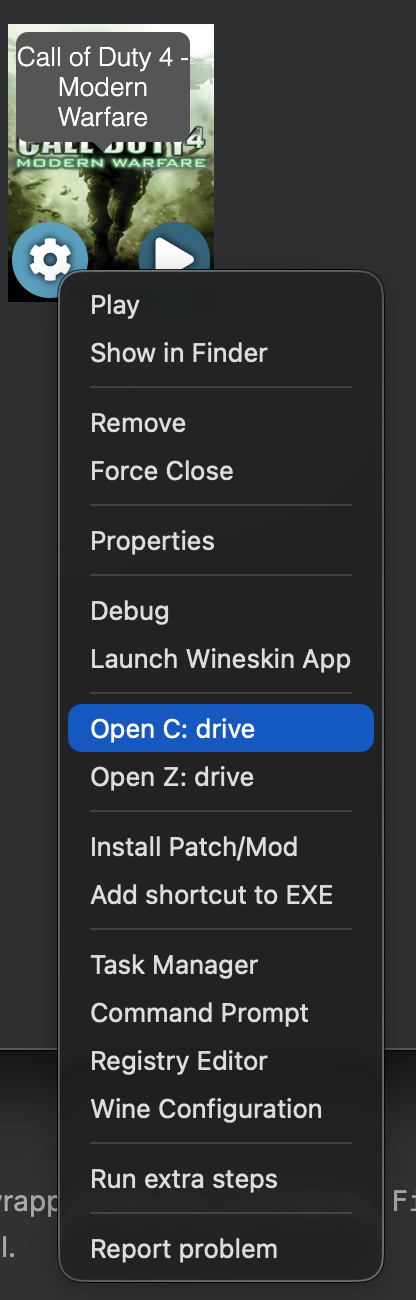
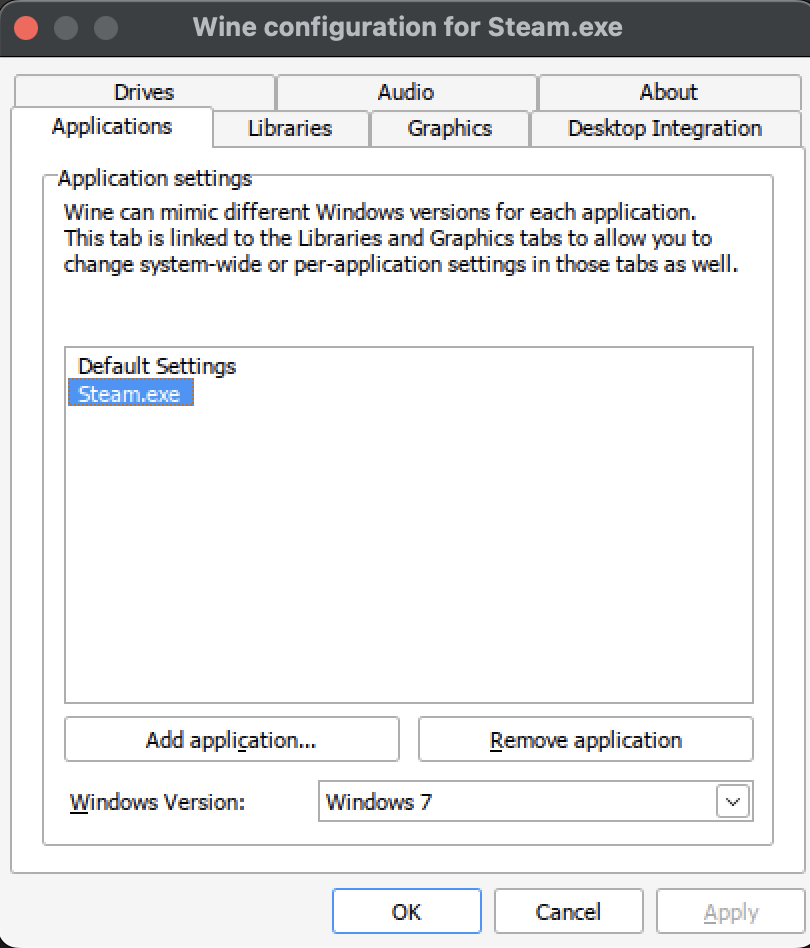
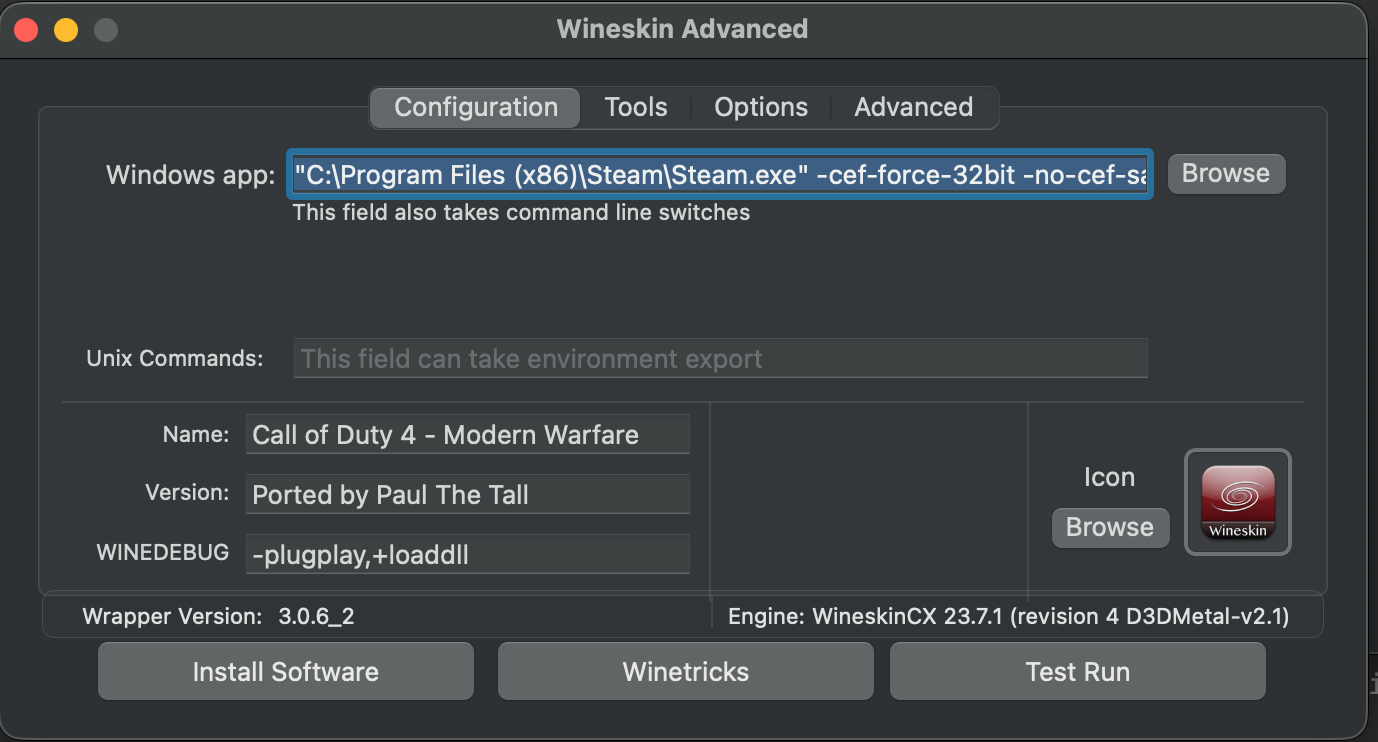
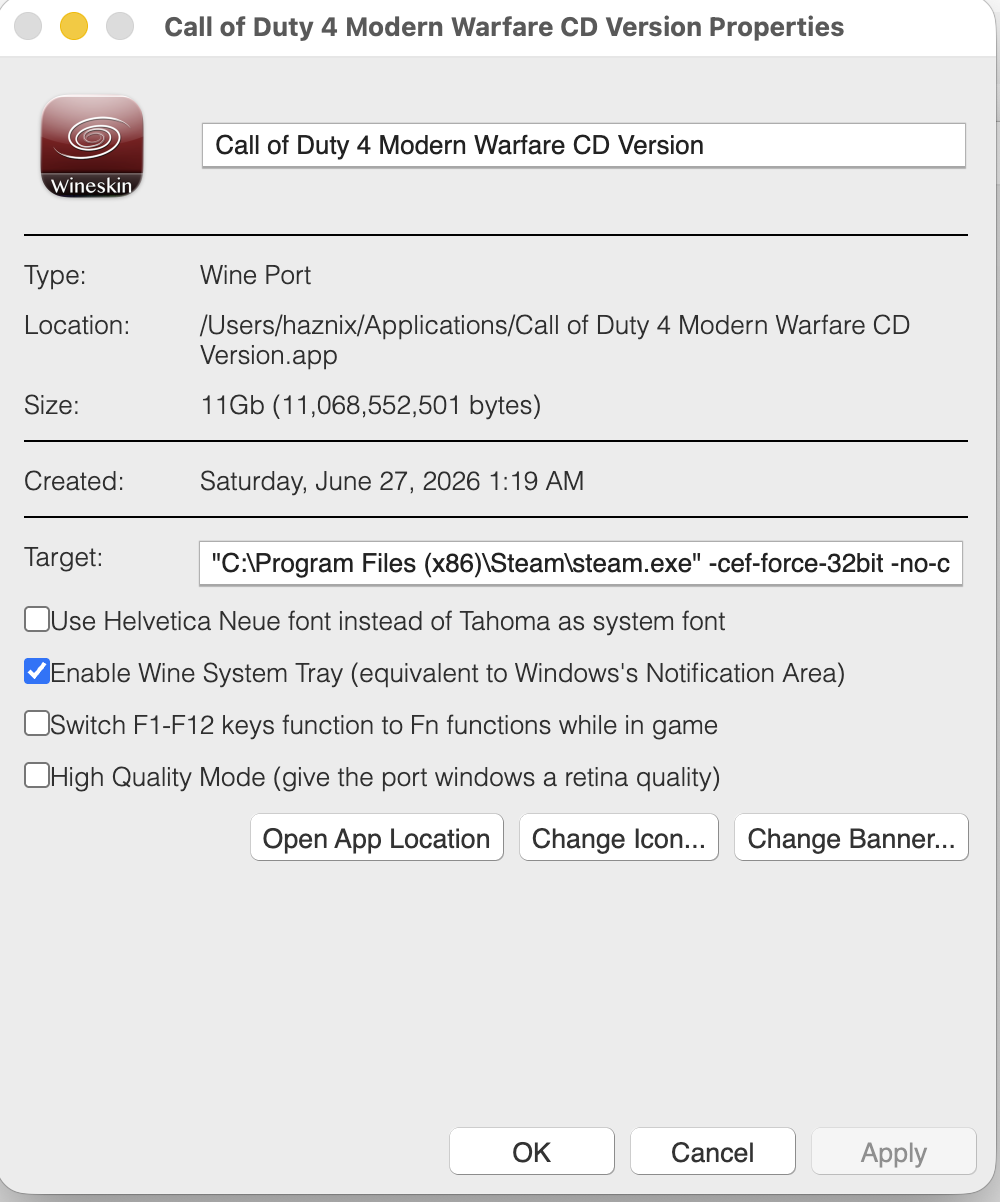
Call of Duty 4 + CoD4x on Apple Silicon using Porting Kit I spent a good 3 days sorting this out for the most optimal combination. There are a few different ways you can play this aging game on Apple Silicon. It becomes challenging given that Apple has discontinued 32-bit app support. What I have here is a fully tested setup for playing Call of Duty 4 - Modern Warfare with the CoD4x client on Apple Silicon with up to 125+ FPS. This works for both CD/retail owners and Steam owners. The base-game install differs slightly between the two, but everything from the CoD4x client onward is identical. I used AI to create the steps following my experiments and then I revised the notes. Tested on: M2 Pro/M5 Max, macOS (Tahoe), Porting Kit + WineskinCX64 23.7.1 (revision 4, D3DMetal-v2.1). TL;DR : why this is finicky and what to do Three separate problems get tangled together: Graphics engine. COD4 MW is a 32-bit Direct3D 9 game. The engine you pick has to accelerate D3D9 specifically. D3DMetal does. DXMT and DXVK/d9vk do not. Steam has to be running for servers that have Steam auth enabled, applies to CD version of the game too. Steam's webhelper crashes with HW acceleration D3DMetal on Apple Silicon when run with Win 10 compatibility, set it to Windows 7 in Wine Config Utility under Applications tab. Performance is CPU-bound. A 2007 game can't tax an M-series GPU. The limiter is the translation layer on the CPU, and Steam sitting on the performance cores steals your frames. This can be addressed by demoting Steam to the efficiency cores. Part 1 — Build a CLEAN wrapper In Porting Kit, select the stock Call of Duty 4 port, then Install with extra options. For the engine, choose the CX64Bit D3DMetal option (it will show as WineskinCX 23.7.1 D3DMetal-v2.1, see picture below). Set the wrapper's Windows version to Windows 10 at creation. This is the version the game will run under, and it's fine for the game. Select Mac Driver and Steam in dependencies Part 2 — Install the base game & Steam CD / retail owners: Install from the disc by mounting an ISO, then right click on Setup.exe and choose Open With Porting Kit. OR Copy your existing game files into the wrapper's drive_c/Program Files (x86)/Activision/Call of Duty 4 - Modern Warfare/). Apply the official 1.7 patch if your copy isn't already at that level. Steam owners: Since we selected a D3DMetal engine Steam will not automatically install due to inherent incompatibility. Download Steam for Windows from their website. Then right click on the exe in your macOS Finder window and select Open With "Porting Kit". This will install Steam, and try to run it and most likely will result in a crash, look at Step 3 for more details. Install COD4 MW through Steam into this wrapper once you've followed the procedure in Step 3. Part 3 — Install Steam into the SAME wrapper Steam must live in the same wrapper/prefix as iw3mp.exe. A separate Steam bottle will not authenticate the game. 3a. Set the Windows version BEFORE first login Use a per-application override so you can make Steam happy without disturbing the game: Open winecfg → Applications tab → Add application → select steam.exe. With steam.exe selected, set its Windows version to Windows 7. 3b. Add the CEF launch flags (this stops the webhelper crash) The webhelper crash on Apple Silicon is a known 64-bit CEF bug under Wine. Steam's own "disable hardware acceleration" toggle does not fix it. Forcing the 32-bit webhelper does. Set Steam's launch arguments to: -cef-force-32bit -no-cef-sandbox -cef-single-process -cef-in-process-gpu -cef-disable-d3d11 -cef-disable-breakpad -nofriendsui -nofasthtml (In Porting Kit/CrossOver, set these as the arguments on the Steam launcher) 3c. Quiet Steam down In Steam settings, once logged in: Interface / Downloads: turn off "allow downloads during gameplay" and automatic game updates. Cloud: disable Steam Cloud. In Game: disable the Steam Overlay (it hooks the game's frame-present call and adds per-frame overhead under D3DMetal — a classic stutter source). Low Performance Mode: enable it. With the 32-bit webhelper forced, leaving web-view GPU acceleration on plus Low Performance Mode was stable in testing and reduced overhead. If you still get instability, try turning web-view GPU acceleration off — it's the one knob to flip if the webhelper is still unhappy. Part 4 — The performance unlock: demote Steam to the efficiency cores This is what takes you from a jittery 40–120 to a solid 125+FPS. Why: the game is CPU/translation-bound, so any process competing for CPU steals frames directly — that's why FPS dips even when you're staring at a wall (the wall is trivial for the GPU; the dip is Steam spiking on the CPU). macOS doesn't let you hard-pin processes to cores, but it does place work on P-cores vs E-cores by QoS class. Demote Steam's webhelper to background QoS and the scheduler parks it on the E-cores, freeing the P-cores for the game. The tool is taskpolicy. Do it after Steam is up and logged in. The script below watches for the webhelper processes and demotes them automatically (they spawn several and can respawn, so a one-shot command misses some). Important: it targets only steamwebhelper. It does not touch steam.exe, iw3mp.exe, or the shared wineserver — throttling the wineserver would slow the game too, since they share it. The watcher script Save as cod4-steam-qos.sh: #!/bin/bash # # cod4-steam-qos.sh # Keeps Steam's webhelper processes demoted to background QoS so the # macOS scheduler parks them on the efficiency (E) cores, leaving the # performance (P) cores free for the game (iw3mp.exe under D3DMetal). # # Only targets processes whose command line contains "steamwebhelper". # Does NOT touch steam.exe, iw3mp.exe, or the shared wineserver. # # Usage: # 1. Launch Steam (through your Wine wrapper) and let it log in. # 2. In Terminal: sudo bash cod4-steam-qos.sh # 3. Leave it running while you play. Ctrl-C to stop. set -u PATTERN="steamwebhelper" # matched against the FULL command line INTERVAL=5 # seconds between re-scans if [ "$(id -u)" -ne 0 ]; then echo "Please run with sudo: sudo $0" >&2 exit 1 fi seen=" " count=0 cleanup() { echo echo "[cod4-qos] stopped. Demoted processes stay on the E-cores until Steam restarts." exit 0 } trap cleanup INT TERM echo "[cod4-qos] watching for '$PATTERN' every ${INTERVAL}s (Ctrl-C to stop)…" while true; do # -i = case-insensitive, -f = match the full argument list. # Wine names each process after its loader, so the real .exe name only # appears in the arguments — -f is what makes this match at all. for pid in $(pgrep -if "$PATTERN"); do taskpolicy -b -p "$pid" 2>/dev/null # idempotent; safe to re-apply case "$seen" in *" $pid "*) : ;; *) seen="$seen$pid " count=$((count + 1)) echo "[cod4-qos] demoted PID $pid (total this session: $count)" ;; esac done sleep "$INTERVAL" done Run it (in the normal macOS Terminal: sudo bash cod4-steam-qos.sh Confirm it's working in Activity Monitor → Window → CPU History — you'll see Steam's load move onto the E-cores. PIDs reset each session, so run the script each time you play (or adapt it into a launch agent if you want it permanent). Runs under sudo so taskpolicy never stops to ask for a password mid-loop. Part 5 — In-game settings Resolution: native/fit-to-screen is fine — you're not GPU-bound, so resolution barely moves the needle. If you're on a Retina wrapper, check the Retina Mode toggle; with it on, your chosen resolution may actually render at 2× (4× the pixels) under the hood. This will be in Properties for the port, keep it unchecked. Framerate cap: CoD4 is idTech3, so com_maxfps is tied to jump physics. The canonical competitive values are 125 and 250. Open console (~) and set: /com_maxfps 125 /cg_drawfps 1 A cap you can hold steadily feels far better than a higher one that swings, because input and jump physics are framerate-linked. If you can't sustain 125 with Steam running, lock to a value you can. Part 6 — Play session order of operations Launch Steam through the wrapper (Win7 per-app override + CEF flags). Let it log in. Minimize it. Run the QoS script: sudo bash cod4-steam-qos.sh. Launch the game. You can launch through Steam, or launch iw3mp.exe directly with Steam idling in the background — the auth server only needs Steam alive, not the launcher path. Connect to your Steam-auth CoD4x server. Do not close Steam. The server re-validates continuously via Steamworks; kill Steam and you get dropped. Minimized + demoted is the sweet spot: present enough to auth, quiet enough to stay off your frame budget. Troubleshooting FPS is low / stuck at the non-accelerated level. Confirm the QoS demotion actually ran (CPU History window). FPS swings wildly while staring at a wall. That's Steam spiking on the P-cores. Run the QoS script; disable the overlay and background downloads. Steam crashes on launch. Make sure the CEF flags are actually applied, set steam.exe to Win7 per-app, and verify you didn't change the Windows version after installing Steam. Steam worked, then broke after "Updating Steam". A version/OS change re-bootstrapped it. Relaunch with flags; if needed, rebuild the Steam side and don't touch the OS version afterward. Graphics look wrong / glitchy. You almost certainly have leftover DXVK/d9vk overrides from a different engine, create a new wrapper. Can't join auth servers. Steam must be running, logged in, and in the same wrapper as the game. Installing COD4: /connect 74.91.116.93:28960, it will auto install COD4x client for you upon connect. Trust the process. Why not DXMT, DXVK, or a Parallels VM? DXMT translates D3D10/11 only — it does nothing for a D3D9 game, so CoD4 falls back to the slow path. DXVK/d9vk on Mac is D3D9 → Vulkan → MoltenVK → Metal (extra layers), and its D3D9 component is deprecated. Slower than D3DMetal here, and it fights D3DMetal for the D3D9 path. Parallels + Linux guest — no true GPU acceleration and you'd stack even more translation. Skip. Parallels + Windows 11 ARM guest — actually viable (real Windows, real Steam, x86 emulation via Prism, Parallels' virtual GPU) and avoids the whole Wine/webhelper mess, but the virtual GPU caps framerate well below native D3DMetal. Good fallback if you don't want to tune; not the high-FPS path. Credits CoD4x team — client and docs (github.com/callofduty4x/cod4x-docs) NovaVeterans — Mac/CrossOver CoD4x walkthrough CodeWeavers community — the -cef-force-32bit webhelper fix Everyone in the macgaming / CoD4x community who documented pieces of this If this helped, drop your chip model + FPS results below so we can build a compatibility list. Please tag whomever does mac gaming. cc: @deadman @El_Terrible @YACCster

-
The gpu specs matter but if I can run this game on a macbook with translation layers and get 100fps I think mini PCs with direct gpu can easily give you the same.
-
I replied to your DM. Password was put in so clan members don't accidentally join it.
-
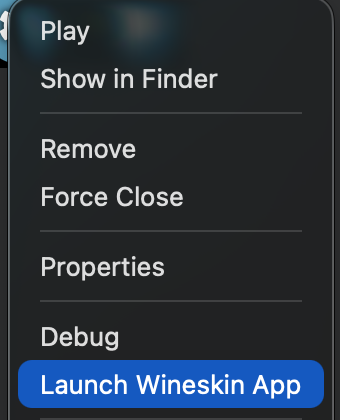
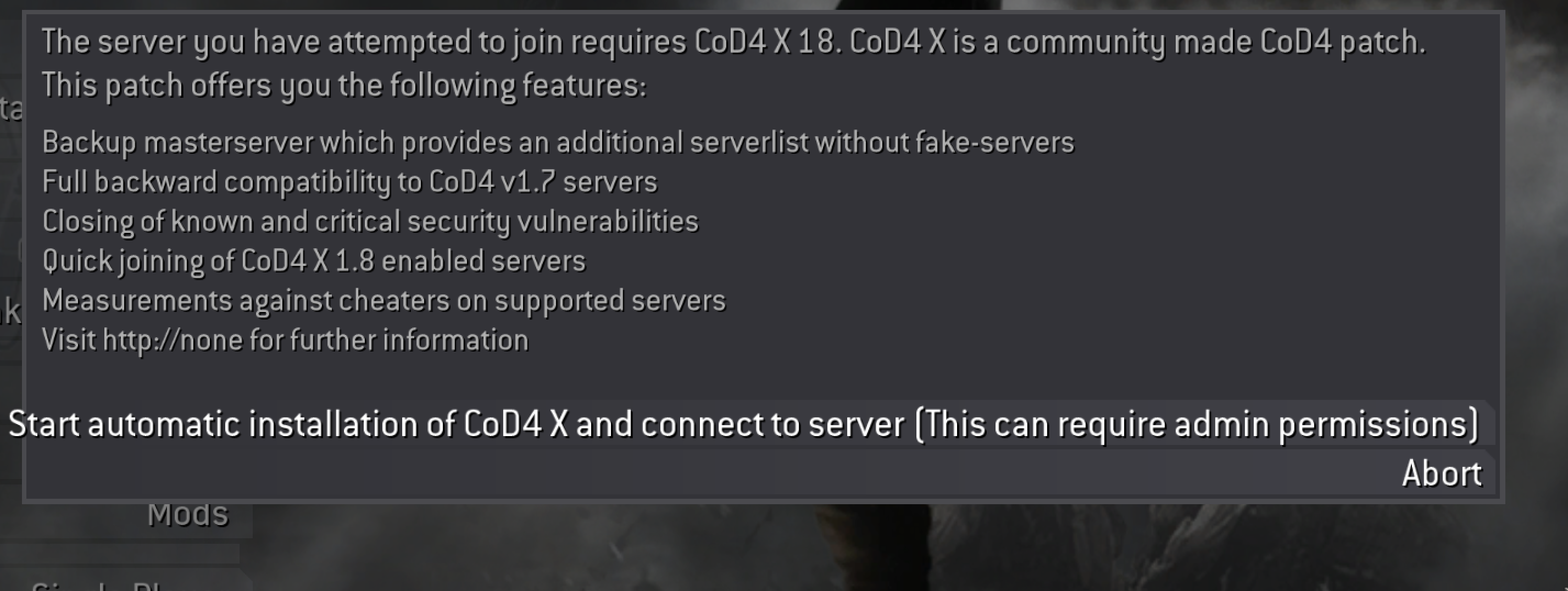
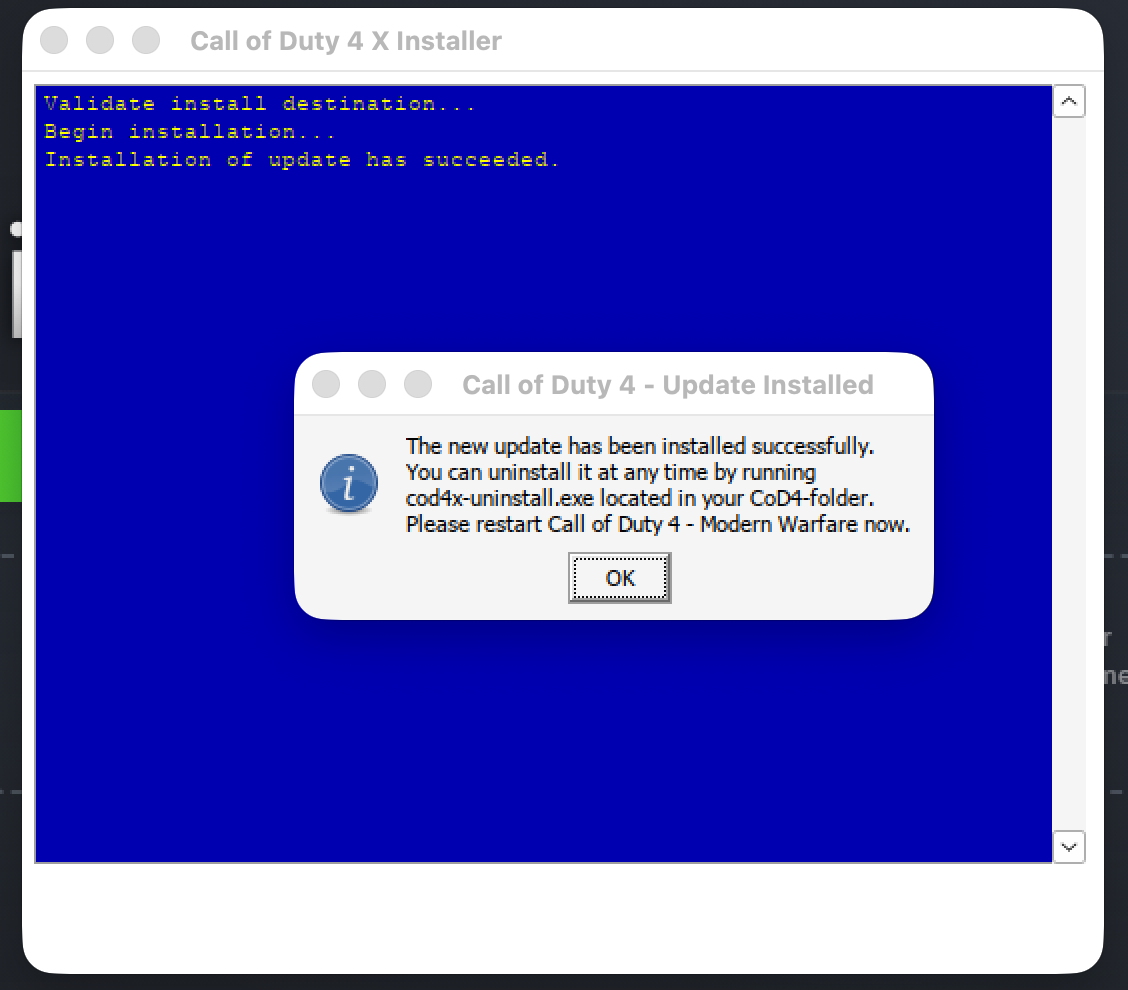
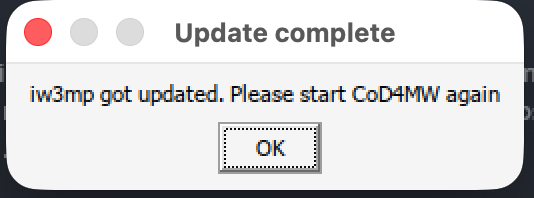
I wanted to sort this out for macOS users, I have Apple Silicon macbook. I installed Porting Kit and then configured a Custom Port, since I have the game from CD. You can also just use their existing Port from Steam and it will work seamlessly. I had to manually install the Windows version of steam along with individual patches for the game. I thought I would've to install CoD4x on my Porting Kit but it prompted me with this. It automatically installed the Cod4x client for me. These are the screen shots.
-
Folks, It's been a little quiet on this thread, and with good reason. I have been working on stabilizing the mod on CoD4x server and exchanging notes with peer clans who are running MW2 modver 1.45 on CoD4x successfully. Our mod is 1.46 and features new stuff. While I have the major hang issue resolved I was expecting crashes. I came to learn that the simple "Defrosting PLAYERNAME ..." message can cause corruption, and stuff like Claymores, EMP betties, UAV defrosters. I have bots running on the server but they cannot replace the idiots on our server. I have applied the latest set of changes that fixes two major sources of leaks (20 times a second per frozen player). Please play on the COD4x server to help us stabilize it. Everytime it crashes, logs are generated and then server restarts on its own. The bots in there move, and shoot but they are not very smart, well smarter than some of you. They will be kicked when real-humans join. If the server crashes then reboots, feel free to move to the regular COD4 server. We need community support on testing the fixes until it needs no more fixes. You will see the turret's muzzle left behind floating in the air. I am aware, don't worry about it. Thank you for being a part of this journey.
-
It has Oculink you can connect any discrete graphics card you like. When did you build your system? Ram prices are thru the roof right now.
-
I have noticed recent mini PCs pack quite a punch especially if you want to play older titles. If COD4MW is all you play or similar less intense games. I found this on Amazon for around $689.00 - it comes with Windows 11 pro standard. https://www.amazon.com/GMKtec_gaming_mini_pc_ryzen_h_255/dp/B0FK2BLV7J?th=1
-
Folks, We have moved the server to New York, on a more capable machine. As a consequence of this change the IP address of the server has changed. Here's the info. # IPv4 /connect 74.91.116.93:28960 #IPv6 /connect [2605:6ac0:100c:0:216:3eff:fe6b:9344]:28960 # Run pathping on Windows 11 to see which gets you there in fewer hops and use that. pathping -6 2605:6ac0:100c:0:216:3eff:fe6b:9344 pathping 74.91.116.93 Windows 11, sample pathping results, takes 5 minutes to compute. pathping -6 2605:6ac0:100c:0:216:3eff:fe6b:9344 Tracing route to v-2605-6ac0-100c-0-216-3eff-fe6b-9344.unman-vds.premium-nyc.nfoservers.com [2605:6ac0:100c:0:216:3eff:fe6b:9344] over a maximum of 30 hops: 0 iBoom's PC 1 iBoom's PC 2 2001:558:1014:59::3 3 po-314-358-rur302.pleasanton.ca.sfba.comcast.net [2001:558:82:3402::1] 4 po-300-xar02.pleasanton.ca.sfba.comcast.net [2001:558:80:435::1] 5 be-248-rar01.pleasanton.ca.sfba.comcast.net [2001:558:80:29f::1] 6 * be-398-ar01.hayward.ca.sfba.comcast.net [2001:558:80:1e1::1] 7 be-36341-cs04.9greatoaks.ca.ibone.comcast.net [2001:558:3:963::1] 8 be-2412-pe12.9greatoaks.ca.ibone.comcast.net [2001:558:3:4b::2] 9 2001:559::155e 10 ae8.mcr1.ewr5.us.zip.zayo.com [2001:438:ffff::407d:1d03] 11 router.nyc.nfoservers.com [2605:6ac0:1000::26] 12 v-2605-6ac0-100c-0-216-3eff-fe6b-9344.unman-vds.premium-nyc.nfoservers.com [2605:6ac0:100c:0:216:3eff:fe6b:9344] Computing statistics for 300 seconds... Source to Here This Node/Link Hop RTT Lost/Sent = Pct Lost/Sent = Pct Address 0 Local PC 0/ 100 = 0% | 1 0ms 0/ 100 = 0% 0/ 100 = 0% Local Router 0/ 100 = 0% | 2 9ms 0/ 100 = 0% 0/ 100 = 0% 2001:558:1014:59::3 0/ 100 = 0% | 3 9ms 0/ 100 = 0% 0/ 100 = 0% po-314-358-rur302.pleasanton.ca.sfba.comcast.net [2001:558:82:3402::1] 0/ 100 = 0% | 4 9ms 0/ 100 = 0% 0/ 100 = 0% po-300-xar02.pleasanton.ca.sfba.comcast.net [2001:558:80:435::1] 0/ 100 = 0% | 5 10ms 0/ 100 = 0% 0/ 100 = 0% be-248-rar01.pleasanton.ca.sfba.comcast.net [2001:558:80:29f::1] 0/ 100 = 0% | 6 15ms 0/ 100 = 0% 0/ 100 = 0% be-398-ar01.hayward.ca.sfba.comcast.net [2001:558:80:1e1::1] 0/ 100 = 0% | 7 11ms 0/ 100 = 0% 0/ 100 = 0% be-36341-cs04.9greatoaks.ca.ibone.comcast.net [2001:558:3:963::1] 0/ 100 = 0% | 8 12ms 0/ 100 = 0% 0/ 100 = 0% be-2412-pe12.9greatoaks.ca.ibone.comcast.net [2001:558:3:4b::2] 0/ 100 = 0% | 9 11ms 0/ 100 = 0% 0/ 100 = 0% 2001:559::155e 0/ 100 = 0% | 10 --- 100/ 100 =100% 100/ 100 =100% ae8.mcr1.ewr5.us.zip.zayo.com [2001:438:ffff::407d:1d03] 0/ 100 = 0% | 11 75ms 0/ 100 = 0% 0/ 100 = 0% router.nyc.nfoservers.com [2605:6ac0:1000::26] 0/ 100 = 0% | 12 76ms 0/ 100 = 0% 0/ 100 = 0% v-2605-6ac0-100c-0-216-3eff-fe6b-9344.unman-vds.premium-nyc.nfoservers.com [2605:6ac0:100c:0:216:3eff:fe6b:9344]
-
The host confirmed Arelion which can have lower ping than GTT, is more lossy. Folks whose traffic is going thru Arelion will experience lag more than others and wrongly think it's the mod or the server. It's the router in the middle that's overloaded.
-
This your client, just hit ok and play. You don't have to update your client.
-
That's just our mod being downloaded from the redirect server. You can try logging in to our regular server and see if that helps. You shouldn't need to download the mod if it's already downloaded.
-
Unfortunately nothing you can do individualy since it's a routing decision being made by the network in real time. I'll wait for our host to see what they come back with. Please keep sending me your IP and your tracecert output. In the interim though using a US VPN may help in this particular situation, that is something I would personally want to try if I were in that situation.
-
This is Arelion, they like to sometimes take the scenic route and go to Dallas from Chicago and then to NY before crossing the Atlantic.
-
I got word from NFO, so apparently the traffic to/from some of our European players toggles between Arelion and GTT depending on which is faster. Some times Arelion likes to take Detour to Dallas before it goes to Europe. This is what is causing the lag.
-
Good News folks, the server was stable for 2 days, sustained multiple games with up to 23 players in the server. The original server lockup issue is RESOLVED. Evident from today's logs. Towards the end of the day around 9:39pm EST, there was a subtle crash from the battle chatter (reloading, throwing grenade etc.) The server recovered in 10 seconds. I have patched this with a work around, the proper CoD4x compatible edits are in the works. Should be deployment ready by Sunday. You wouldn't know necessarily notice it unless you were aware of the change. Here are the remaining issues/complaints I hear from folks: My ping is high My ping jumps and goes higher I have lag, hit reg is not working For some players ping is high because they are physically farther from this server, Chicago, not that far from NY but still a little far. The caveat here is that in networking your traffic goes thru different routes. It just so happens that for some folk their traffic experiences too much of a spike when it reaches Chicago. This will indeed introduce some lag, and ping jumps. I can create a ticket with our host provider I am not certain what they will do, but it can be addressed. Often times, it resolves by itself in a few days or maybe a week. Please run the following commands in Windows Command Prompt and send me the results in TEXT format, not screenshots. CTRL+A, then CTRL+C and then CTRL+V on the forums or DM. I will forward the results to NFO and they can sort it out with the data center. tracert 74.91.119.86 (Current C4x server in CHG) tracert 74.91.116.124 (Previous C4x server in NY) By the way the NY server is running the same mod with the same fixes but it doesn't have auto recovery like the Chicago server, and that's why we don't play on it at the moment. Please continue to play on the Chicago server over the weekend. I can further harden the mod against any small lil leaks that may surface. For now it looks good. @Cheyenne @Dukoo @P1nh3ad @Roody @Kisses4You @Ruggerxi
-
From the very last crash I was able to capture the exact pattern that was causing the slow memory leak, which would cause the server to crash after 5-6 hours of intense gaming. I programmed some bots to hammer those exact player patterns (i.e. killstreaks, perks, connect/disconnect) for days. A few minor leaks were found as a result of this testing and fixes were applied throughout this period. It has been stable for 5 days of continuous bot warfare. Bot testing, however, still cannot capture the full scope of the Idiots playing on the server. Therefore, I would like request some volunteers to play on the COD4x Server (74.91.119.86:28960). The players who usually play around 12-3:00pm EST really stress the mod, something about their perks and killstreak selections. Please react to this post with "I have read this post" if you would like to help. I am thinking this coming Friday or Saturday, Friday is off for me, so I will be around to look at things if needed. As always should things go haywire, we always have our trusty old regular COD4 server. A few things to note. Server is fully automated, on crash or hang, it will auto restart Restart time for a normal restart is less than 5 seconds In case of a hang, the restart time is no more than 30 seconds COD4x server is custom built with latest changes from the COD4x community Steam Auth is disabled and the server behaves like regular COD4 server, this prevents Steam auth related crash (nothing to do with the mod) Server is registered with and listed on COD4x master server Server is located in Chicago, not by choice just what we got at the time of order For Europeans pings will be higher depending on their network routes I have applied the latest updates to the system and performed a full system wide reboot Thank you for your attention to this matter (IYKYK).
-
We haven't done anything to the shottys or the menus. We don't have the source code for it.
-
Dear Fellow Gamers, Rugger will send out a PM regarding this as well. After fighting the mod's compatibility issues with CoD4x server for roughly 2 weeks, we have decided to take it off public access. The mod was not written for the newer CoD4x server with stricter memory protections. Whenever the mod leaks memory, the protection unit kills the server. We got it to run stable for up to 6 hours on full load but its basically a ticking time bomb and any user event can be the detonator and cause a reboot. I want to thank you all for your patience and support. The new server brought many advantages and promises of further enhancements but the stability issue has rained on our parade. Therefore, for now the server is only for testing and fixing the stability issues. Sincerely, iBoomBoom
-
I am not on at the times you are. If you don't have the problems from your original complaint then I'll leave it at that and not waste any more resources.