
Labob
-
Posts
8401 -
Joined
-
Last visited
-
Days Won
14 -
Donations
0.00 USD -
Points
208,200 [ Donate ]
Content Type
Profiles
Forums
Gallery
Twitch
Running Commentary
Events
Store
Downloads
Everything posted by Labob
-
Bummer of a Birth date but still a great thing Congrats and many more healthy
-
 Your welcome
 -
its on the servers @djMot
-
compiling as I type did a run through and I think one more run through after this compile and I can release it
-
Merry Christmas right back at you
-
So what I usually recommend to people is. Create a folder on your desk top. Drop the first mod tool in it and unzip it in that folder. Remove the zip file then select everything (I like the cut option it removes everything ) and drop in on top of the call of duty 4 -Modern Warfare folder (do not open that folder) then do it for the 1.1 update. once its running (the .prj file in in the bin folder if the game does not direct you there automaticly) the first thing to do is right click on the tools icon and run in compatibility mode for xp or win 7 and as an administrator. Launch the compile tools select applications and run the converter first. That should be it. I check the tools are in the downloader if that gives you a hard time they are on the redirect you can get them from the Xi downloader https://www.xtremeidiots.com/files/category/28-xi-software/
-
http://icculus.org/gtkradiant/documentation/q3radiant_manual/
-
So unzip it I place it on my desktop. Find your iwi place it in the converter folder. Then drag that iwi and drop it onto the iwi to dds file and it will spit out a dds file for you. Backwards for the reverse. But in all honesty I always use the tools to create my iwi's dds tools for adobe https://developer.nvidia.com/nvidia-texture-tools-adobe-photoshop Convertors.rar
-
I will send you the converter files
-
go to help then command list in radiant again there is a test in 23 days
-
I know this guy he drives an ice cream truck in cod4
-
Well done and congratulation thats the almost hard part
-
Black screen ?
Labob replied to Markoff's topic in Call of Duty: World At War's Call Of Duty: World At War Discussion
one card at a time is the test to see if you have a bad card. If they both work then its both cards if that does not work is switch the positions in there slots. I'm sure you have done the driver thing but you can always delete the drivers and try the windows drivers as well. What MB you using mark ? Does it have onboard video ? If so make sure its off somethimes it suppose to be automatic but it does not. -
Black screen ?
Labob replied to Markoff's topic in Call of Duty: World At War's Call Of Duty: World At War Discussion
try one card alone then the other -
This event is about remembering our lost members not about our dislike of some people. Lets focus please also let try to remember its Christmas a time to forgive just for a few weeks please.
-
Hey everybody Merlin and I have finished the 2018 cod 5 xmas map and its should be running on the acemod server very soon, It will also be on our test server for a day or two Please enjoy it get your copy here and Merry Christmas to all https://drive.google.com/open?id=1MbE8TBgTHXCxmtLnboRallMzfXSnhZll
- 1 reply
-
- 7
-

-

-

-
all weekend really its only two days long
-
yes will answer a few questions in here no will only answer one. Yes then again a guy will always say yes
-
he just made it for weapons but that works for all models in game. Most of cod2 I think all of cod4 and 5 your job is to find the file its located in the main folder in any number of those iwd in an image file. This is where the fun is noobiedo remember every file every file location and every where in that game it is found. There will be a test later. Then we can go look at all the scripts yeck
-
its not as hard as it sounds
-
Get a tut on skinning models and skin one of the crows
-
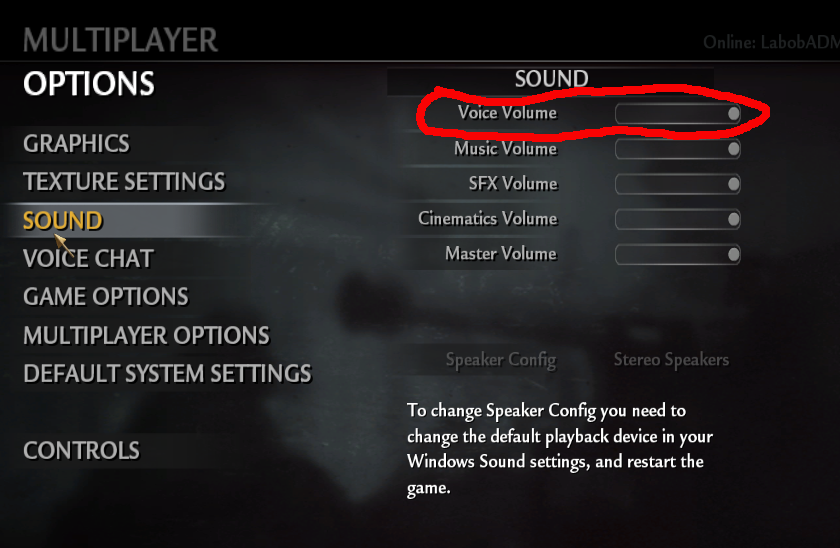
Ingame Voice chat
Labob replied to deerejon's topic in Call of Duty: World At War's Call Of Duty: World At War Discussion
You can try one of these puppys https://sourceforge.net/projects/equalizerapo/ might do it if your willin to hunt down the sound and filter it. -
Ingame Voice chat
Labob replied to deerejon's topic in Call of Duty: World At War's Call Of Duty: World At War Discussion

-
pfft activision has a few letters all ready from me.