
YACCster
-
Posts
3464 -
Joined
-
Last visited
-
Days Won
22 -
Donations
3021.02 USD -
Points
129,950 [ Donate ]
Content Type
Profiles
Forums
Gallery
Twitch
Running Commentary
Events
Store
Downloads
Everything posted by YACCster
-

Has anyone here ever purchased furniture from Pottery Barn?
YACCster replied to Tron's topic in General Discussion
Got a few couches from them a while back. Started falling apart in a couple of years. Would not use the word quality and their product in the same sentence. -
Awesome news, glad it’s working!
-
Can’t seem to find that guid. Can you take a screenshot of the banned message for us?
-
Hey @BigRedTwit I just checked and it doesn’t seem to show you as being banned on our side. Do you have your guid also are you using a steam or other copy of the game?
-
@dadda2 is irreplaceable and definitely will be sorely missed. So sorry for your loss @sandradee2
-
-
Congratulations @Sourtap!!
-
mw2 146b9 map rotation
YACCster replied to dadda2's topic in Call of Duty 4's Call of Duty 4 Map Rotations
Server has been restarted, maybe earlier according to Funkyjosh -
With data from a little company called IBM that is over 100 years old and the former manufacturer of the 'PC'
-
please welcome WldPenguin to the cod 4 head admin team
YACCster replied to dadda2's topic in Community News
Definitely a long time coming and a great addition for the Head Admins of COD4, fantastic! Congrats @WldPenguin!!! -
https://9to5mac.com/2019/11/12/ibm-mac-users-are-more-productive/
-
-
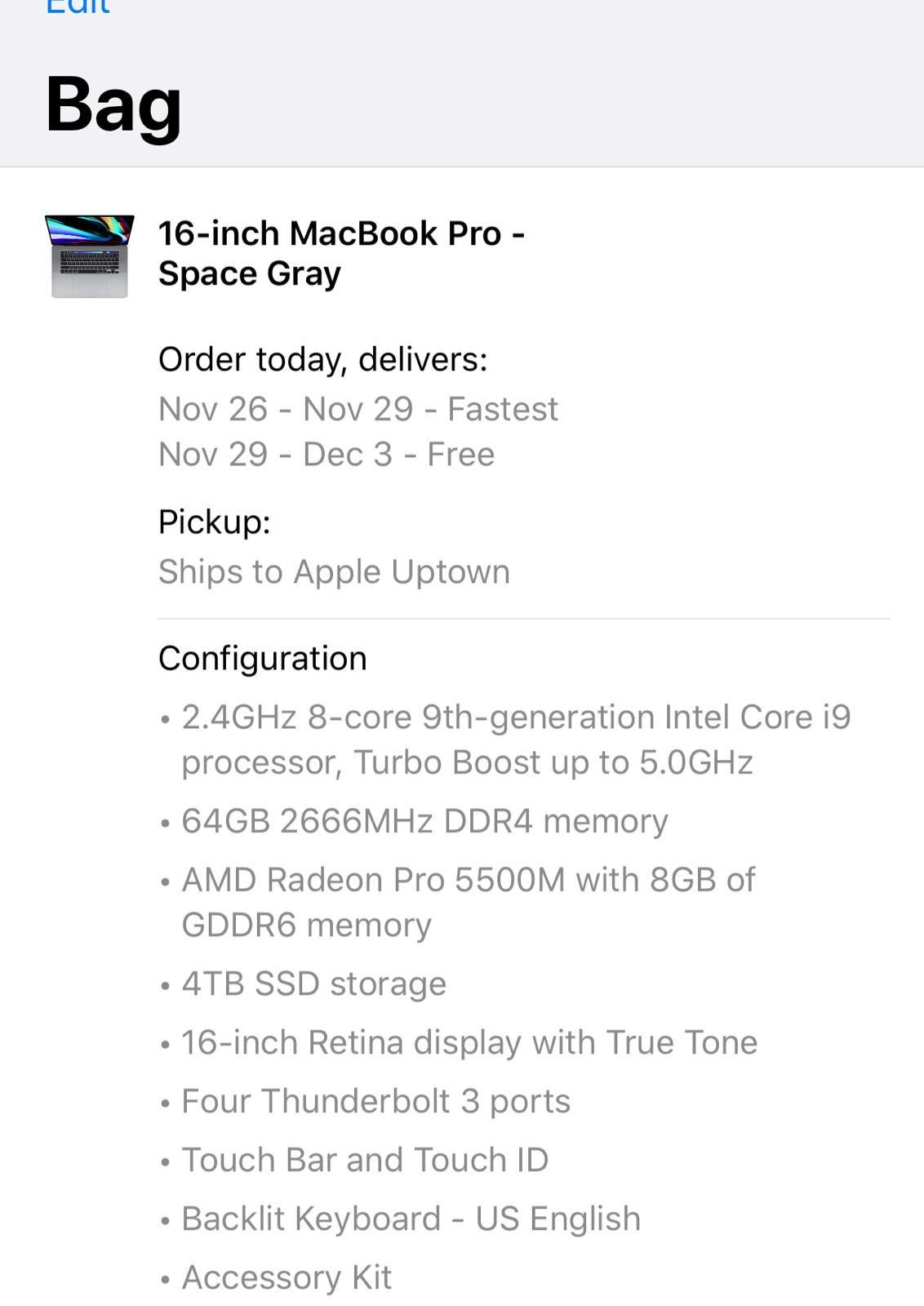
It was time for a little upgrade, keeping Intel CPU and ATI/AMD Video:

-
1.8 to 1.7 from steam reversal patch
YACCster replied to dadda2's topic in Call of Duty 4's Call Of Duty 4 Discussion
From @J3st3r this is a "fix" for cod4 steam version on Windows OS. https://www.dropbox.com/s/pnmo82n9x5bp5s3/iw3mp.exe?dl=0 or http://d833c39a4a8b920f7d2a-df6872f9497a6cd74503ad01be51357f.r35.cf1.rackcdn.com/File_6412_-_fkliw3mp.rar "Download that exe and put in c:\Program Files (x86)\Steam\steamapps\common\Call of Duty 4 or where steam is located. Then it will work!!!" I scanned both using Virus Totals online file scanner which uses around 80 scan engines and both are 100% clean. Copied from one of the hundreds of posts people made on the steam forums over the past month and a half. Seems to be the only "fix" until Steam gets there heads out of there ass. Just replace the main exe file with a working v1.7 Steam exe and it will work again. -
The ban has been lifted. Please remember to drop to spec if you need to be afk temporarily.
-
@piglo wants to drag race you in my Jeep.
-
Anyone playing Call of Duty: Modern Warfare?
YACCster replied to PigDog's topic in General Discussion
Lets start looking at a few devices that can run this then, my 2 year old $1200 PC runs it just fine. -
Howdy, I was the banning admin. You are very often afk and apparently kicked because of this so often you renamed yourself in game. Being AFK is rude to the other players especially on maps that have concentrated spawns. Many folks in game stated you were afk earlier that day as well. I'm not inclined to lift this ban until you understand that you need to drop to spec or quit the game if you do need to go afk. -YACC
-
Currently: COD4, COD mobile, Borderlands 3 and Call of Duty Modern Warfare (2019)
-
Call of Duty®: Modern Warfare® Xtremeidiots on batle.net
YACCster replied to Dessy's topic in Modern Warfare 2019's Topics
This invite is no longer valid. It may have expired or been deleted. Launch the App -
I'd meet ya near Chester (Richmond) VA but I'll be in Minneapolis annoying @Ruggerxi and @wildthing that week.
-
MW 2019 taking FOREVER to download
YACCster replied to Majbasil's topic in Modern Warfare 2019's Topics
38 minutes to install -
MW 2019 taking FOREVER to download
YACCster replied to Majbasil's topic in Modern Warfare 2019's Topics
Just started the install to test this (10/27/19) - 11:20am EST - 120GB to go - Will report back (~55MB/s currently) - 11:30am EST - 90GB to go (~53MB/s) - 11:40am EST - 57GB to go (~53MB/s) - 11:50am EST - 26GB to go (~48MB/s) FINISHED - 11:58am EST - Done -
Could be wrong here but it looks like you need a minimum of a GTX 1650 to run this game: https://www.techspot.com/news/82281-call-duty-modern-warfare-system-requirements-revealed.html Graphics Card: Nvidia GeForce GTX 670/Nvidia GeForce GTX 1650 or AMD Radeon HD 7950 - DirectX 12.0 compatible system This site allows you to put your details in and test to see if it will run: https://www.pcgamebenchmark.com/call-of-duty-modern-warfare-system-requirements?result