Leaderboard



Popular Content
Showing content with the highest reputation on 05/30/26 in all areas
-
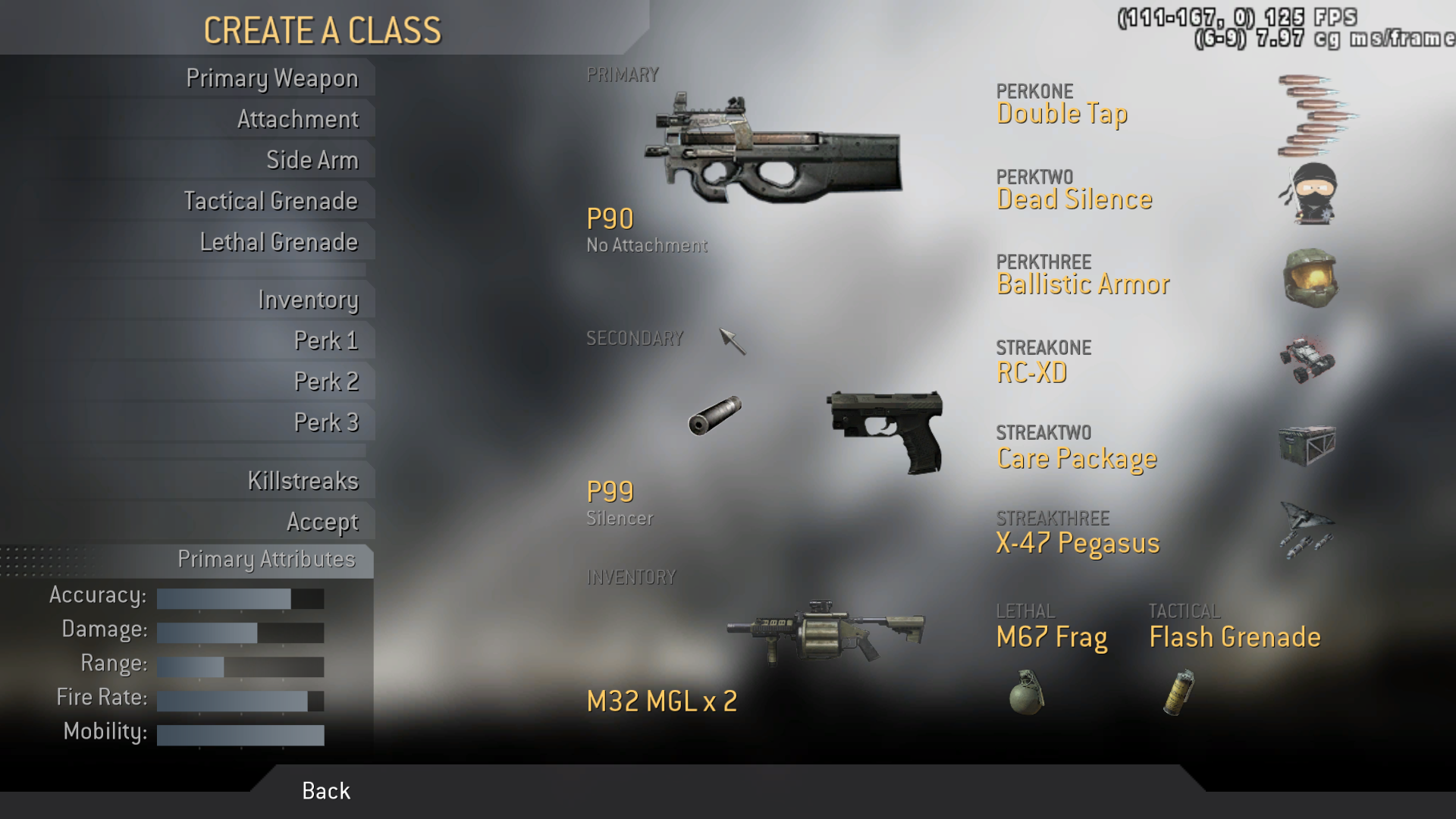
@pitbullpeteand I have been messing around with ACOG scopes in the MW2 Freezetag server lately. Since I was rudely awakened this morning, I had the time to mess around with a random number generator to generate a class to mess around with. Take it or leave it if you want to have some fun. P90 No attachment P99 Slienced Flashbang Frag Grenade Inventory is M32 MGL x 2 Perk 1 is Double Tap Perk 2 is Dead Silence Perk 3 is Ballistic Armor Killstreak 1 is RC-XD Killstreak 2 is Care Package Killstreak 3 is X-47 Pegasus (AGM) This class isn't so bad.
 2 points
 -
Oh crap. Not dukoo. I hate that guy. Jokes aside. From the bottom of my heart: FU DUKOO Stop knifing and tubing me you boober2 points
-
Not a complaint or issue. Just wanna say that the new mod on CoD4x feels so much better than the old one. Feels a lot smoother, hit reg feels way better. Great job Boom2 points
-
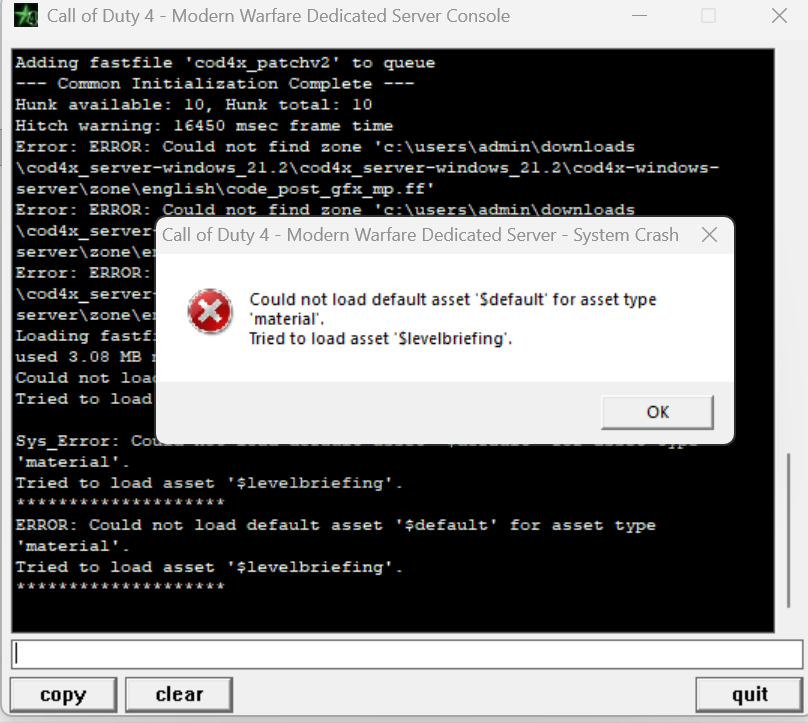
 This crash produced the log that has helped me figure out the root cause. It's connection attempts from people with improperly installed clients that are causing the server to allocate obscene amounts of memory and NFO kills the server because its spiking CPU usage. I have applied optimizations to the server to guard against it. Once we have people successfully rolled over to COD4x client, the crashes will go away. I will be talking to our host as well.1 point
 -
.thumb.JPG.96067731969dce84e5219af64b2cbfac.JPG) I received the error "Backend update" when I tried to install the update I received this message
1 point
I received the error "Backend update" when I tried to install the update I received this message
1 point -
Ohhhhh grow some balls @Dukoo1 point
-
I'll play around with my other monitors to see what I get. I do recall I had to set my ratio to 1:1 on my 16:9 4k monitor. On WQHD I had the same having to press enter issue I'll try to recreate and then recall what I did to fix it.1 point
-
OMG haha Welcome back...
1 point
-
Welcome back Dukoo1 point
-

Please Welcome Back Dukoo To Our Clan
P!nk reacted to PickleRick for a topic
DUKOOO KLEINE LUL! Welcome back!1 point -
He's like a cat... now he's back in he'll want to go out again! Welcome back Dukoo.1 point
-
Such a drama queen.1 point
-
Dukoooooooo, welcome back!1 point
-
 Hitting enter worked. will try to uninstall and re-install c4x.1 point
 -
Welcome back Stomme kut1 point
-
There goes the neighbourhood1 point
-
Willkommen, punk!1 point
-
Earlier today server was hung, even though it hadn't completely crashed. This was caused due to an incompatibility in the code. I have applied the changes and rebooted the server. If you still experience random "disconnects" or rotation restarts please post them here. Thank you for your patience, enjoy the games.1 point
-
welcome back Dukoo1 point
-
1 point
-
They will work now. I had put a server var for steam players so their names would show up properly, but its unintended effect was on CD players, it would only use their folder name. I have fixed this now. @Totty Other people who have issues with names and who use Steam, please launch the multiplayer EXE directly. Known Behaviors - Names don't show on voice chat activation1 point
-
for those struggling to find your Cod4 exe this is the address for it "C:\Program Files (x86)\Steam\steamapps\common\Call of Duty 4\iw3mp.exe1 point
-
For folks with steam, launch the multi-player game directly from the installation folder, otherwise COD4x client will use your steam name as the game name. I recommend creating a desktop shortcut.1 point
-
There's a server var that tells the client to not use the steam name. I think the cod4x client tries to mimic other steam games that use the steam name in the game. Are you available to test this? I don't have a steam installation of this game.1 point
-
The King of TUBES is back.... you better start hiding0 points
-
both cod4x servers are down at the moment.0 points